
Learning Programs
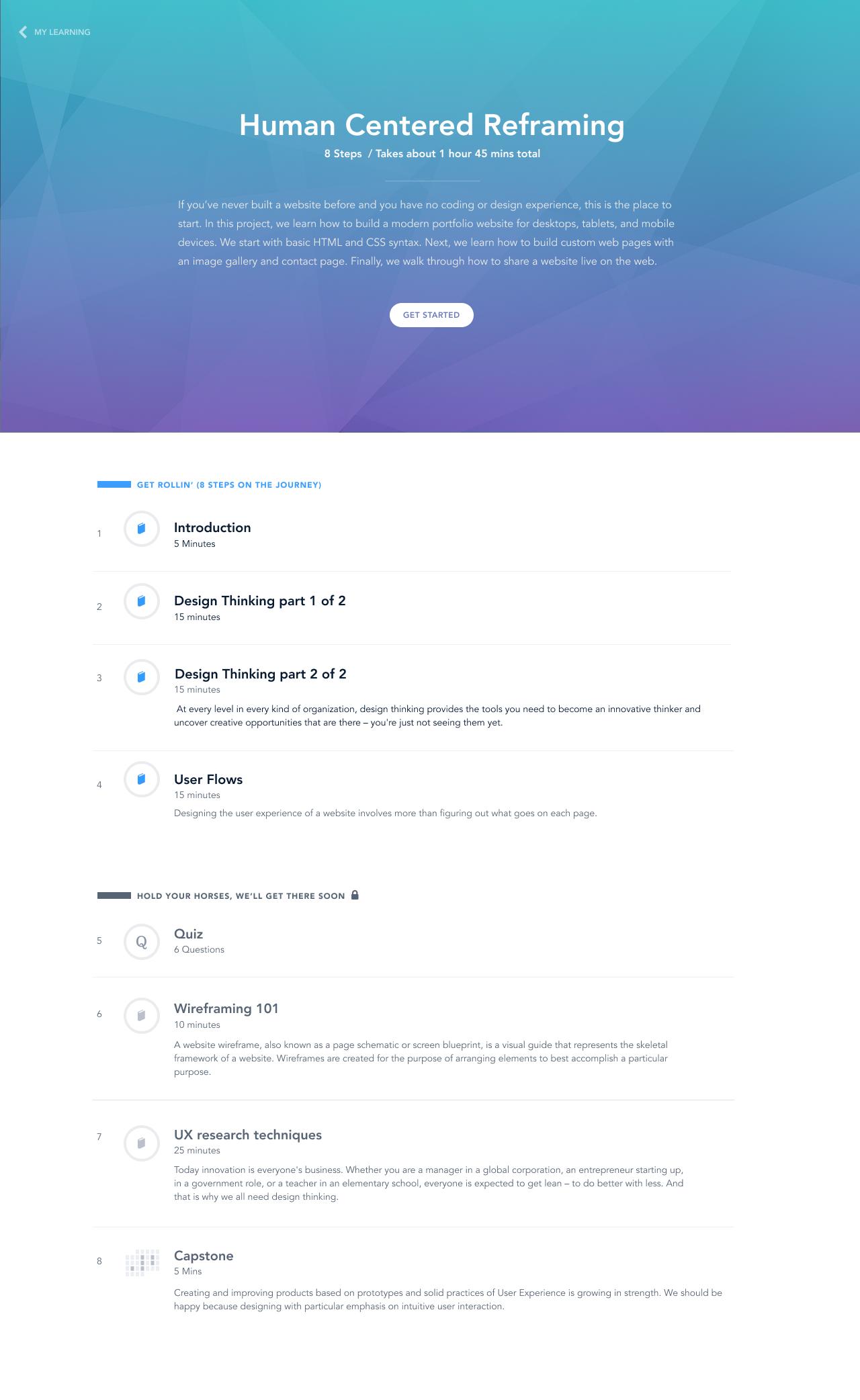
Employees spend a lot of time learning on the job. Companies dish out course after required course, and the pile of training can get overwhelming and hard to navigate. I simplified the task of “learning on the job,” by providing clear expectations, and helping learners focus on what’s next in their program.
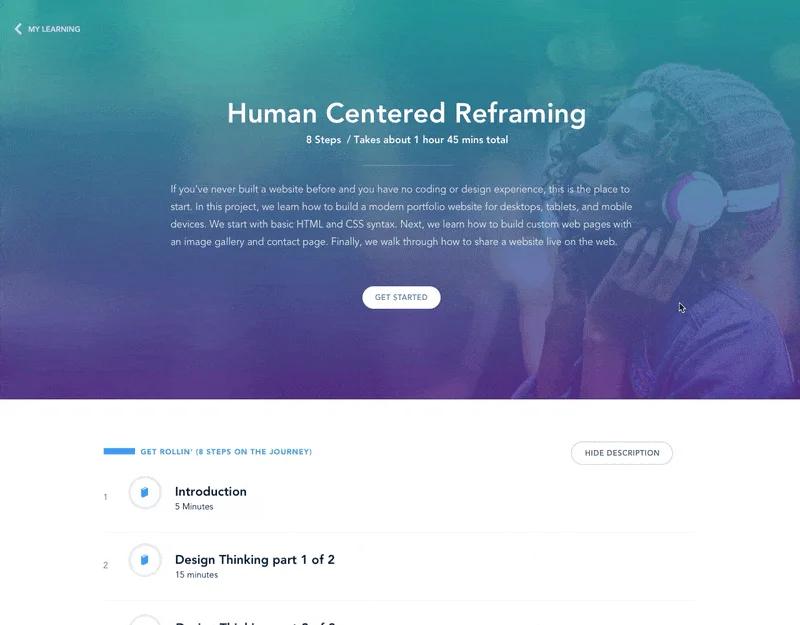
The problem
The MVP of our programs did not present clear expectations about the amount, or duration of content there was to consume. So learners were often surprised to find there was more to accomplish. They stopped after only completing the first of many courses.

When users identify a fork in their path, they typically take the simplest path forward.
Design Task
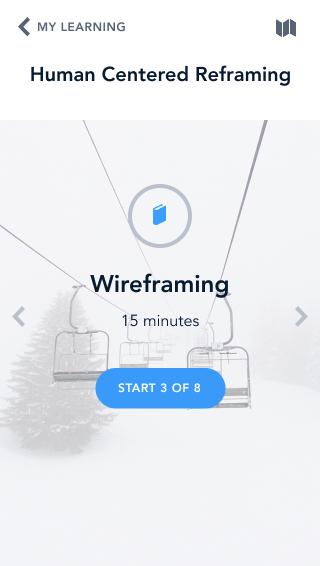
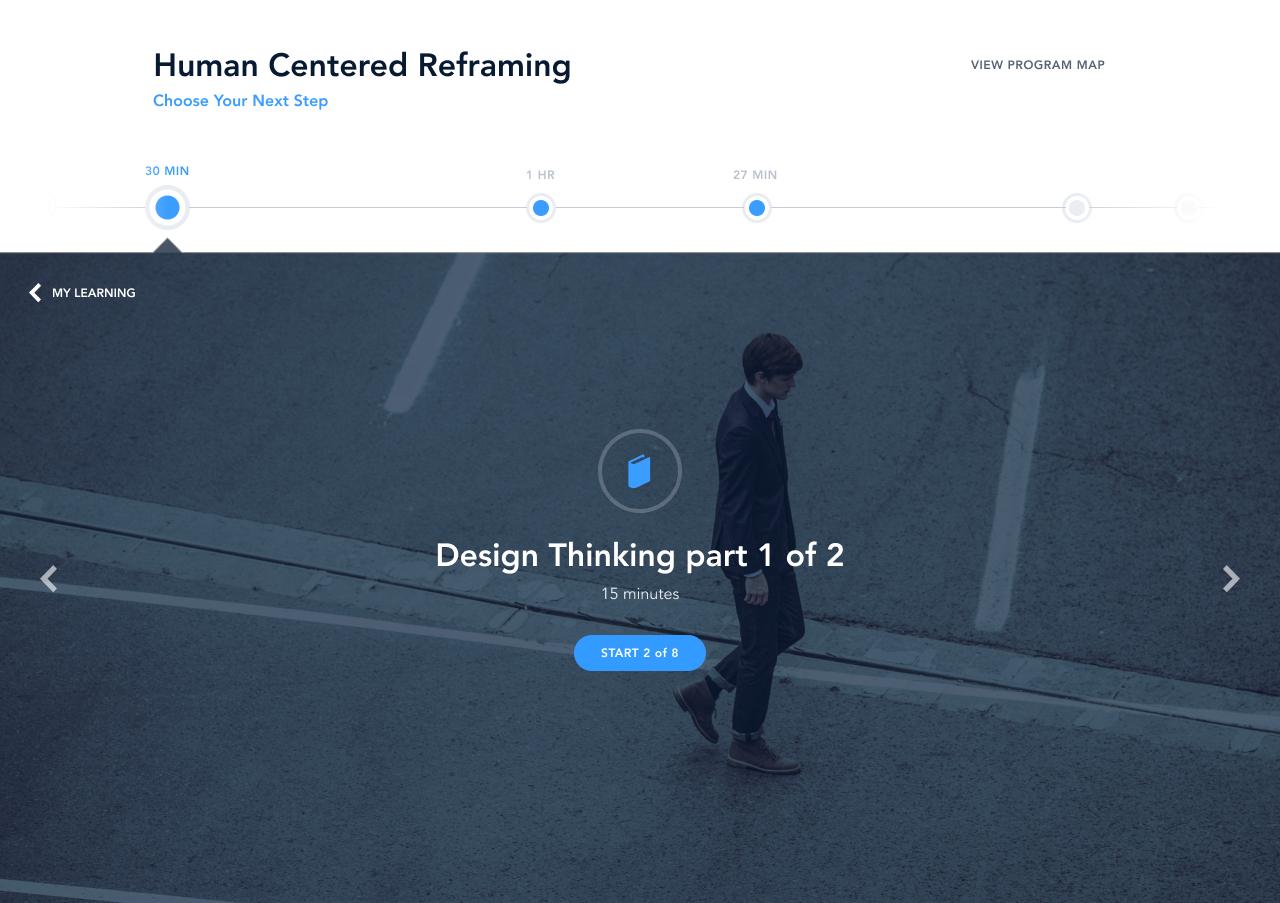
Design an experience that captures a learner’s momentum to continue learning. The experience needs to set clear expectations about the amount of content without overwhelming users.
Ideation
Task 1: Clear Expectations
Keep users informed and ahead of the game.
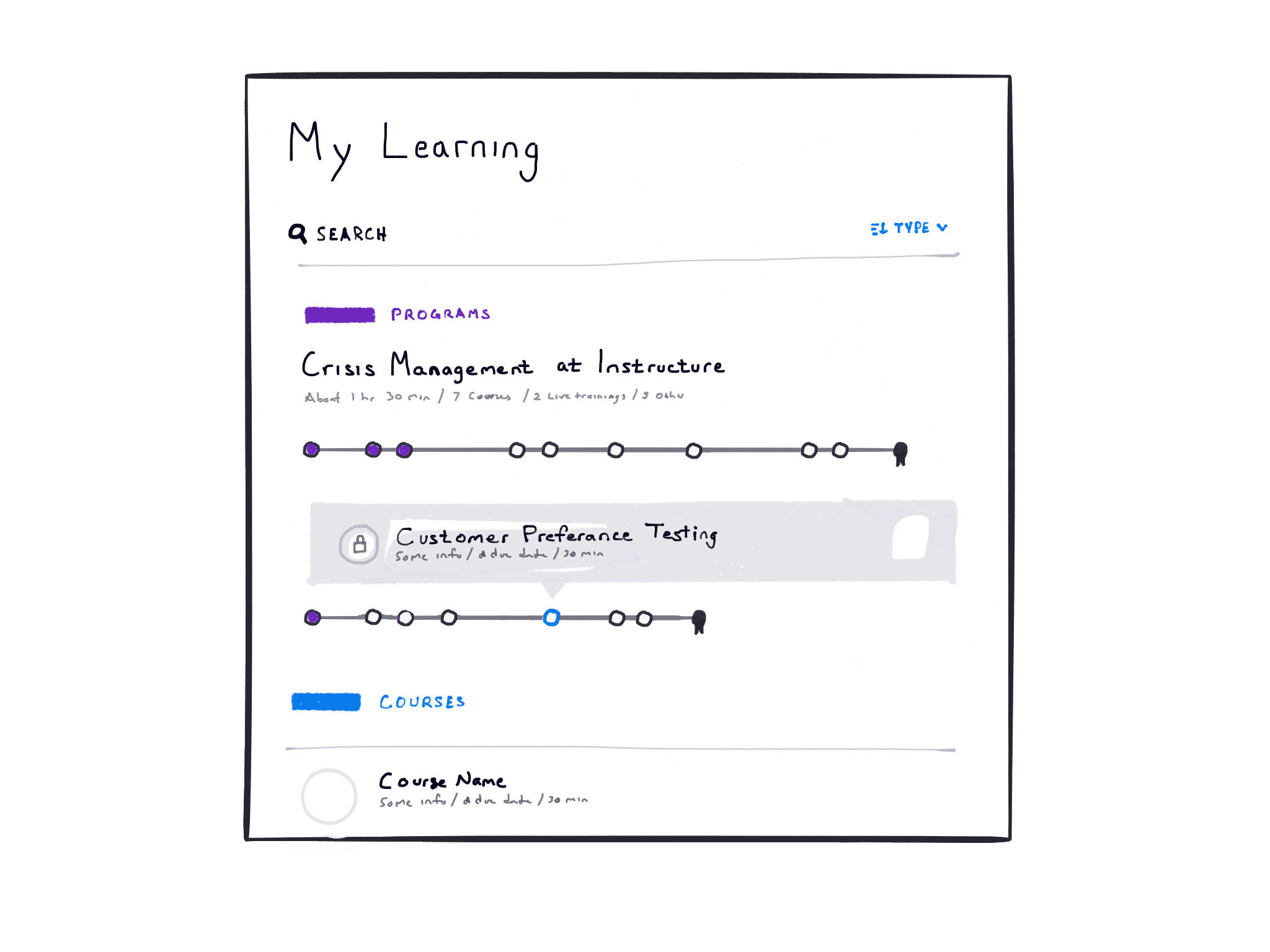
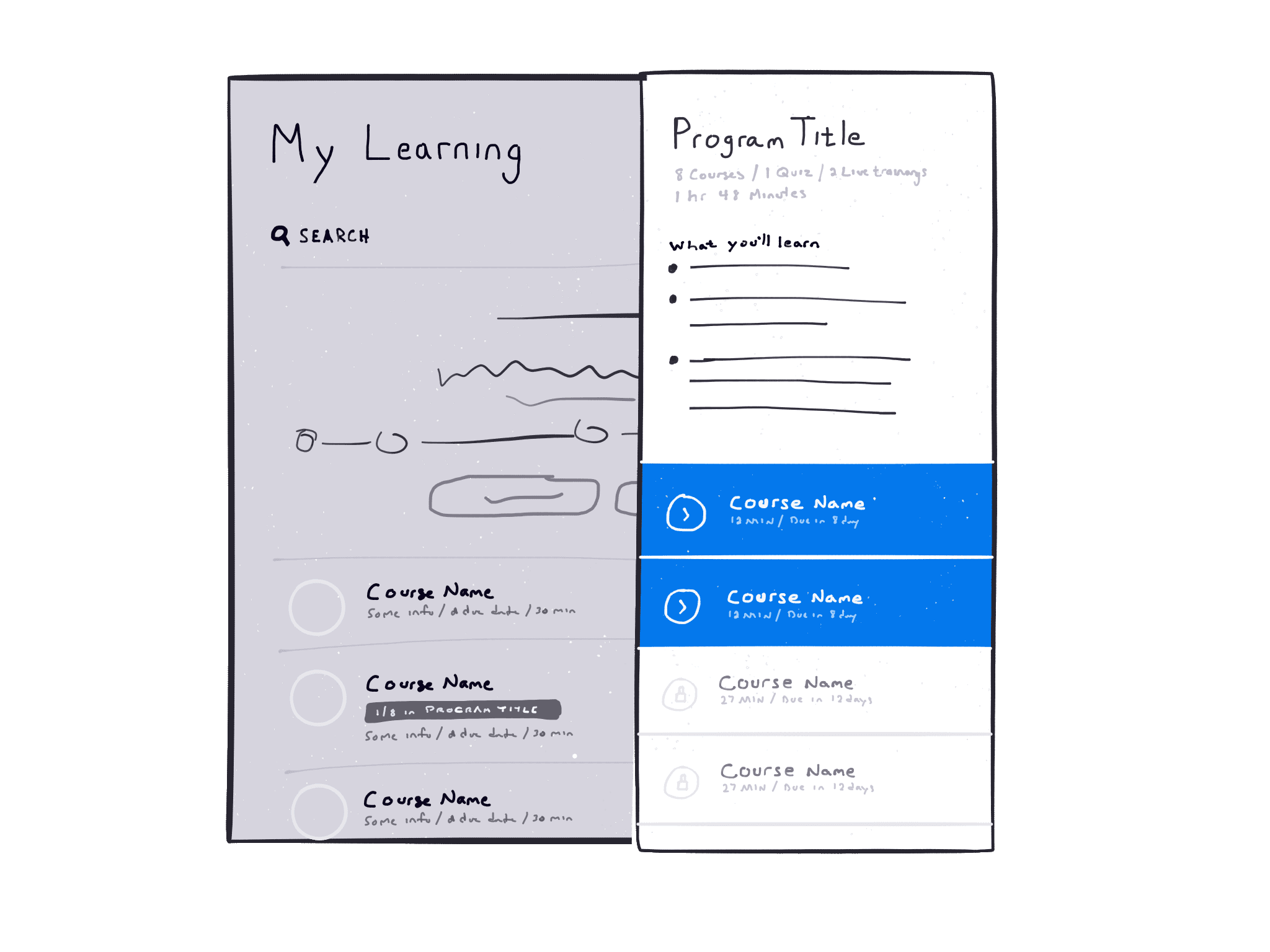
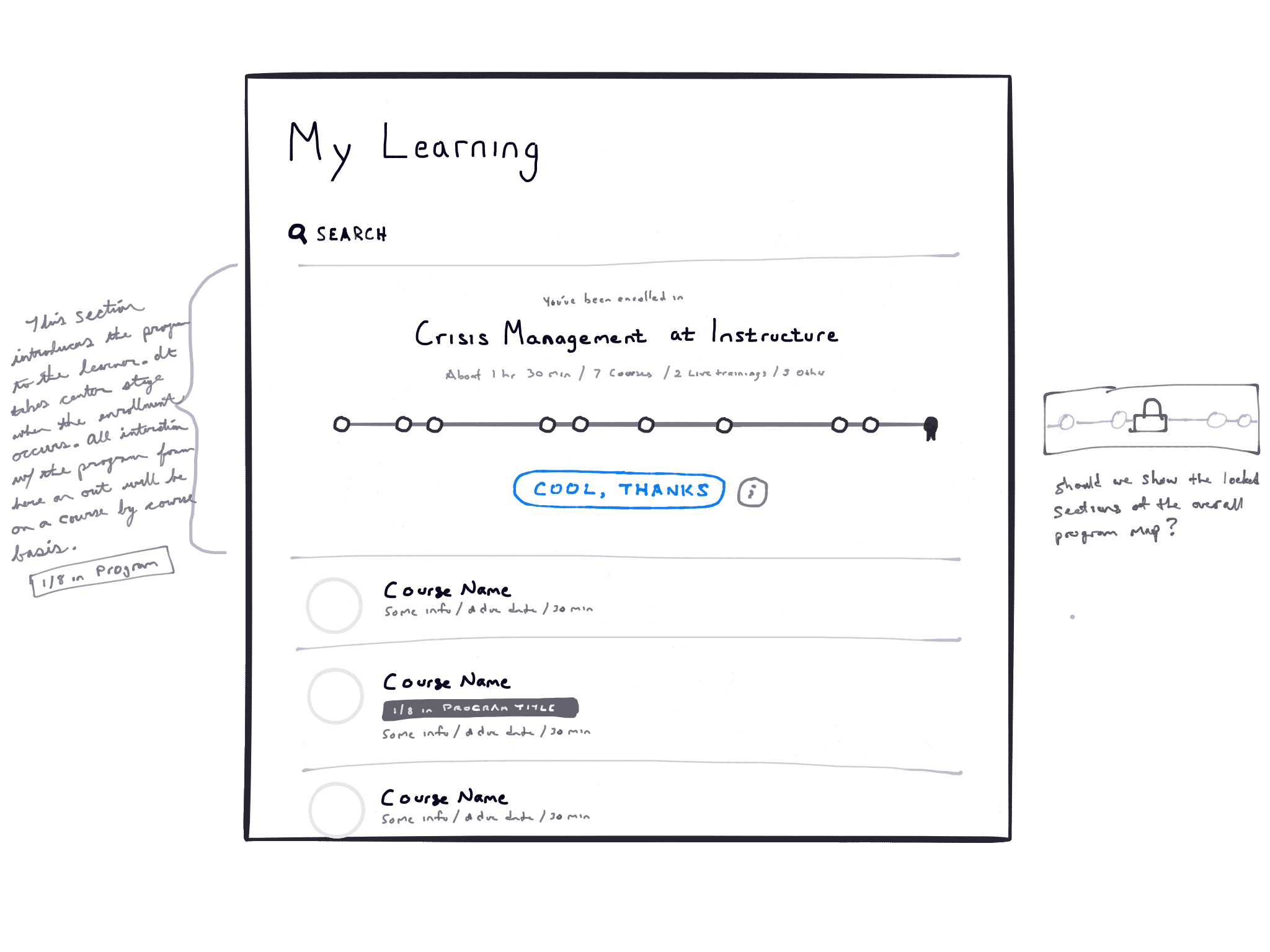
I explored the idea of using a basic progress bar to represent the number, and length of courses in a program. This treatment served as a legend for users to quickly orient to their work ahead.
Basic Progress
Mixed progress (some retakes required)
Complex progress
There when you need it, gone when you don’t.
Once users scroll to the full map of the program, the progress bar serves a duplicate function. So it quietly recedes into the background to let the content take the stage.
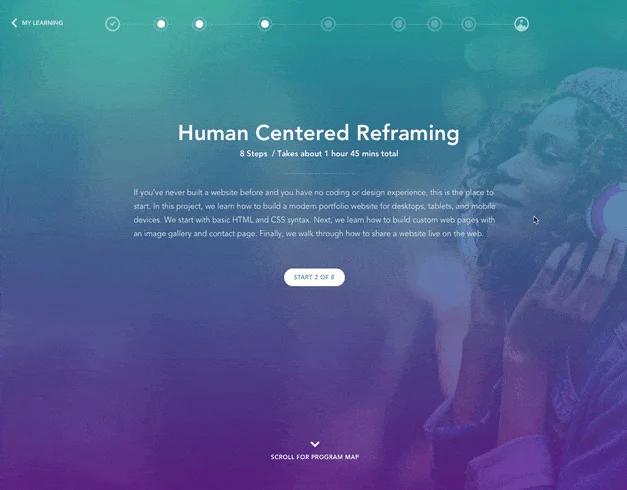

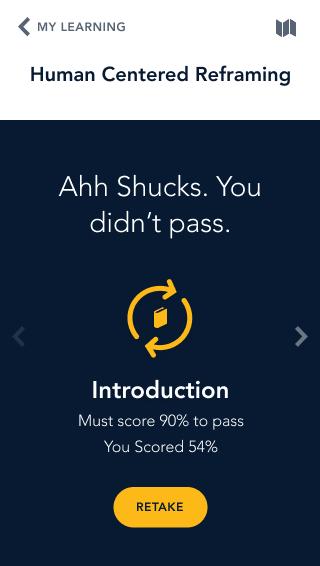
Program map: Introduction complete (scored 82%), Design Thinking Part 1 needs a retake (scored 54%, 90% to pass), User Flows is next (about 5 minutes, step 5 of 8), and the summit is still far off: 5 days until due, 23% progress.
Task 2: Simple Path Forward
Celebrate the small wins
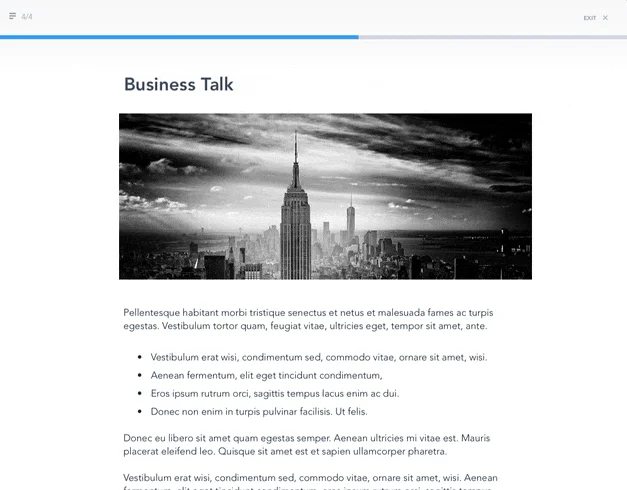
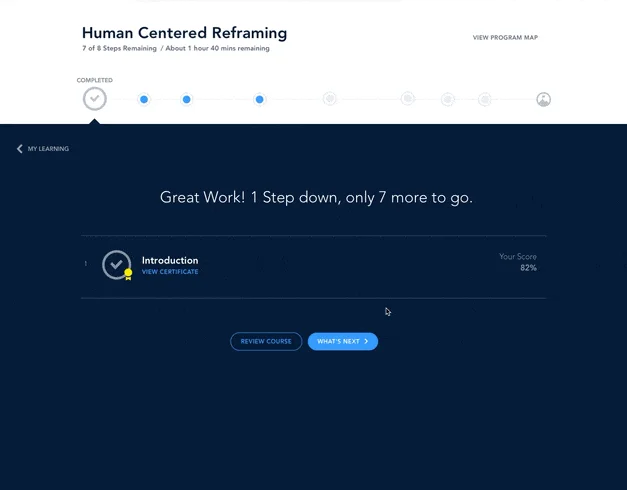
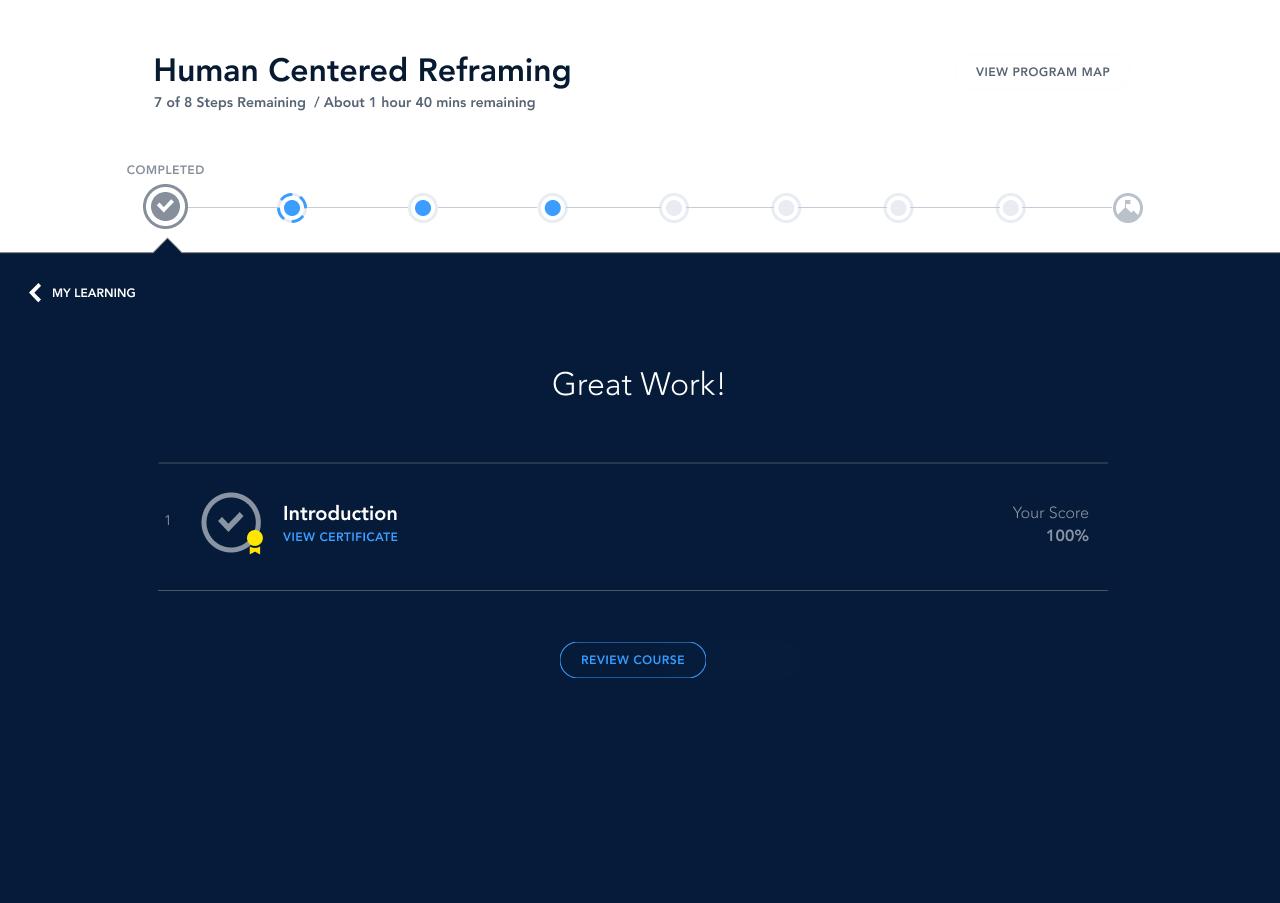
An interface that denies the opportunity for recognition, misses the chance to form an emotional connection. Celebrating the small win of finishing one course was too important to overlook. The congrats screen recognizes a win, while still providing clear CTAs and affordance for what is ahead.
Variable rewards
come in small touches.
The moment a user decides to move forward, the interface jumps for joy. That kind of feedback offers a subtle reward, and nudges the user to keep making progress. It also reinforces the feeling, that they are in charge around here.
Outcome
Whether the journey ahead was a long path, or a short one, learners were now in the know. The update to learning programs oriented users to where they were on their learning journey. It provided clear feedback and nudged them forward to help them reach the end.